Organizing and Preserving Your Family Memories with Angela Andrieux of MyLio Photos - Episode 111
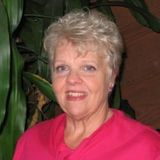

Feeling buried under a mountain of memories? 📦 From dusty boxes of old prints and albums to countless digital photos scattered across phones, computers, and hard drives, the task of organizing a lifetime of pictures can feel overwhelming. But what if you could finally bring order to that chaos and create a secure, lasting legacy for your family?
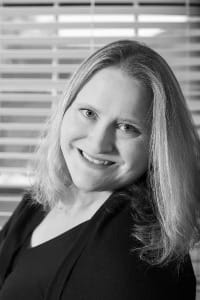
In this episode of the Caregiver Relief Podcast, host Diane Carbo is joined by Angela Andrieux , a professional photographer and product evangelist for Mylio Photos. Angela shares simple, powerful strategies to help you go from overwhelmed to overjoyed. Learn how to tackle decades of photos, safeguard them from disaster, and use them to create beautiful, connecting moments with your loved ones.
What You'll Discover in This Episode 🎧
- Getting Started (Even When Overwhelmed!): Learn the first steps to take when facing 50+ years of photos, whether they're in boxes, albums, or on old devices.
- The 3-2-1 Backup Method: Discover the industry-standard method for backing up your memories to protect them from tech failures, fires, floods, or any disaster.
- A Virtual Family Reunion: Find out how to use your photo collection to bring multiple generations together, share stories, and capture precious details before they're lost.
- Connecting Through Memories: Learn how photos can be a powerful tool for caregivers to connect with loved ones experiencing dementia, sparking joy and bridging memory gaps.
- Introducing Mylio Photos: Get an inside look at this privacy-first app that helps you organize, protect, and access your entire photo library without relying solely on the cloud.
Your Roadmap to an Organized Photo Library
Step 1: Taming the Overwhelm
The biggest hurdle is often just starting. Angela suggests two paths: the "Do-It-Yourself" (DIY) route or hiring a professional photo manager.
- If you're going DIY:
- Take Inventory: Gather all your physical prints, slides, home movies, and memorabilia in one place to see what you have.
- Digitize Your Prints: You can start simply by using your phone and an app like PhotoMyne. For larger jobs, a sheet-fed scanner like the Epson FastPhoto 680 can scan the front and back of photos quickly, preserving any handwritten notes. Angela even suggests chipping in with other family members to share the cost of a scanner!
Step 2: Bringing It All Together with Mylio Photos
Once your photos are digitized, Mylio Photos acts as your central hub. It brings together your scanned images and all your digital photos from phones, hard drives, Google Photos, and iCloud into one organized library that you control on your own devices.
Features like the Calendar View and Map View automatically organize your photos by date and location, making it incredibly easy to find what you're looking for.
Step 3: Creating Meaningful Connections ❤️
This project is more than just organizing files; it's about preserving stories. Angela shares a beautiful story about visiting her 98-year-old grandmother, connecting her laptop to the TV, and spending hours going through old pictures together. They identified relatives, fixed dates, and captured stories that would have otherwise been lost. You can do this in person or organize a "virtual family reunion" over Zoom to crowdsource information and bond with family members near and far.
Step 4: Protecting Your Legacy with the 3-2-1 Method 🛡️
To ensure your memories are safe from any disaster, Angela explains the 3-2-1 Backup Method:
Have 3 copies of your data, on at least 2 different types of media, with 1 of them offsite.
This could mean having your photos on your computer, an external hard drive at home, and a cloud service. Mylio Photos helps facilitate this, and Angela also recommends a service called Backblaze for affordable, unlimited offsite backup of your entire computer.
The Perfect Tool for Caregivers 🧠
For caregivers of loved ones with dementia, photos are a powerful gateway to the past. Angela explains that looking at old photos can "light them up in a way that other things aren't even gonna touch".
With Mylio Photos, you can load an iPad in "guest mode" and let a loved one safely swipe through pictures without any risk of deleting or changing things. You can also create simple web galleries to share with family members who aren't tech-savvy—all they have to do is click a link.
Ready to Start?
The best day to start is today! As Angela advises, just "pull out a single photo album... Take something small and then be able to check that off your list". This journey is a marathon, not a sprint, but every small step is a victory.
Learn more and connect:
- Mylio Photos Website: Mylio.com
- Mylio Community Forum: community.mylio.com (Free to join!)
- Angela's Photography: angelaandrieux.com
- Follow Mylio Photos on Social Media:


And to our incredible family caregivers, remember Diane's closing words: "You are the most important part of the family caregiving equation. Without you, it all falls apart. So please learn to be gentle with yourself. Practice self-care every day because you are worth it".
Podcast Episode Transcript
Diane: Welcome to the Caregiver Relief Podcast. I'm your host, Diane Carbo, a registered nurse and caregiver advocate, and I'm so glad you're here with us today. If you've ever felt overwhelmed by the photo clutter in your life, from boxes to old prints, to digital photos scattered across devices. This episode will help you take a deep breath and finally bring order to the chaos.
Joining me today is Angela Andrieux, MBA, a professional photographer. Photo coach, writer, and experienced broadcaster. Angela is also a product evangelist for my Leo Photos, A Powerful Privacy First Photos organization and storage app designed to help individuals and families protect and preserve their most
Cherished memories without relying on the cloud. Now that makes me very interested. Angela's passion is helping people go from overwhelmed to overjoyed by teaching simple strategies to organize photos, documents, kids artwork, and more using tools that empower you to create a meaningful lasting legacy.
Diane: In today's episode, you'll learn how to safely organize over 50 years of family photos, even if they're spread across albums, devices, or boxes. We'll talk about the 3, 2, 1 method for backing up your memories in case of disaster. We'll also discuss how to create a virtual family reunion complete with photo slideshows and favorite recipes.
And then how to get started with Milo Photos. This is an episode every senior, every caregiver, memory keeper and family historian needs to hear. Angela, thank you so much for coming out today and spending some time with us and telling us about this amazing platform.
Angela: Thank you so much for having me and for that wonderful introduction.
I hope I live up to those expectations. you wear so many
Diane: hats.
Angela: I do.
Diane: You're a photographer, you're a coach, you're a writer, you're a broadcaster, and now product evangelist for my Miley Oak photos. Can you tell us a little bit about your journey and what drew you to memory preservation? Yeah, so
Angela: being a photographer.
Having those tangible memories is super, super important. I started out in photography, quite young, but also didn't have the money to do film back when film was the thing. Once digital started, I got into digital photography and ended up jumping in with both feet. I got my first DSLR. my husband was in the military.
He's retired now, but we lived overseas for four years and that's where I really dove headfirst into photography because when you're living in someplace like Italy, how can you not take pictures? Absolutely. So I had this beautiful camera and I didn't know how to use it, so that's where I learned how to use it.
And by the time we came back from living overseas, I decided. I'm now a photographer, hung up my shingle and I did some portrait shoots and things like that really wasn't for me. What really calls me and what really lights me up is travel and cityscape and landscape photography. I love taking beautiful pictures that hopefully somebody will feel a reaction from.
Maybe they wanna put it up on their wall, make their home brighter and better place. So that's where I started. From there, my business grew into helping other photographers with technology. I started, a photography blog while I was living overseas, and that morphed into talking about software and talking about techniques.
I was learning as I go and sharing that with other photographers. So that's how my coaching business started is I was sharing what I was learning as I was learning it, and. Now I help other photographers do those same things that led me into the photography software industry where I work now.
I've worked for a couple of different major software companies. Today I work for a company called Myo and we make an application called Myo Photos and that is all about organization and bringing together your lifetime of memories into one place where you can, safely protect and access those things when you need them.
And that's really gotten me personally, also started on. The memory preservation and scanning in and digitizing my family's photos and giving tips to other people and how they can make those things happen. So it's this big organic, progression through my career to where it started and where it is now and what I do.
So yeah, I've got my fingers in lots of things. definitely stay very busy.
Diane: many of our listeners have decades of physical and digital photos spread everywhere. I know. 'cause I'm guilty and I even have tubs of my pe, my family, my aging family members that have passed down to me like an uncle who had no children passed a big box full of old photos down to me.
where do you suggest someone start, especially when they're feeling that sense of overwhelm? So that's a really awesome question, and there's
Angela: really two main ways people can go about this. There's the DIY option where you are gonna take all of your stuff, you're gonna organize it, you're gonna digitize it.
And get things rolling that way. It's a big undertaking, and that's the less expensive route, but it's more expensive on your time. The other route is to hire somebody who does scanning and digitizing, things like that. There are people out there who are professional photo managers and they'll help you from start to finish digitizing your stuff.
And getting it organized and delivering it to you in a format that's already done. So it's as much do it yourself or on the spectrum up to having somebody completely do it for you. So it really depends on your balance of time versus money. Some people have more time than money, some people have more money than time, and you adjust that path.
As fits your life. So if you are starting out this by yourself And you've got all these tubs of pictures, I like to take things kind of one step at a time. So take that first tub of pictures, break it down into manageable chunks, and do an overview of what you have, get everything all into one place.
Start sorting through it. Do you have just physical prints? Are they all, are they in decent condition? do you have stacks of certain sizes of things? do you have things that are really fragile? Do you have other memorabilia that you wanna preserve? Taking inventory of what you have? If you have videos, if you have Old eight millimeter film or anything like that, if you have slides, all of those things factor in. And if you're gonna DIY, I think if you have those physical prints that you can scan yourself, that's the easiest. If you're starting into getting into slides and the actual film that you wanna scan. And then digitizing movies that what's where it can be really helpful to bring in somebody who's an expert in that field, whether it's to hire them just to do the scanning or to do more and help you with the overall organization.
It's completely up to you. There's the big box store variety of the scanning companies out there who will do it for less money, and then there's people who will give you a more bespoke experience. So there's a whole spectrum of that out there, but. Take inventory of what you have, and then start with those prints, those physical images that you have, and take obviously inventory of what you have already that can help you scan these things.
So you can start with just your phone if you wanna do that, you can take a picture of a picture that's one form of digitizing. And there are apps out there that can help with that. One that I particularly like is called Photo Mine, and that's P-H-O-T-O-M-Y-N-E. Photo mine and they've got a great app for helping you digitize pictures with your phone and they sell a lot of tools to help accomplish that.
So that's at the lower end of the spectrum. And then you might have an all-in-one, printer, scanner machine at your house. If that's got a good enough resolution on it, you can use that as a flatbed scanner and scan in some of your stuff. That can be really time consuming, but it works well if you have things that are fragile, and oddly size.
The next step in that is to get something that's a dedicated scanner for the bulk of your pictures. And for me, I had a ton of four by sixes and then going back through my grandparents' albums, a lot of these little three by threes and four by fours, but they were in good shape, they weren't too fragile, and I was able to get something called the Epson Fast Photo six 80.
This is a sheet fed scanner that you can put a stack of 30 pictures in. Scan 'em at high resolution really fast. And it scans the front and the back. So that's the next step in that journey. If you're digitizing these things yourself to get to the point of having that scanner and then being able to scan 'em in, it's not an inexpensive tool.
I wanna say it's around $600. So if you have other family members who are interested in tackling this project with you. Spread the love and maybe go in together on buying the scanner. So you have the scanner for a couple months, you scan in your stuff, and then you hand it off to the next family member and you spread the cost around of owning that because not everybody has $600 laying around to go buy a piece of a specialized equipment.
and again, for those fragile things, use your all in one scanner. That's what I do. there's a lot of different ways you go about doing that. Once you have your stuff digitized, whether you're doing it yourself or you've maybe outsourced it and you've gotten those files back, that's where something like my EO photos comes in is you bring all of these digital files.
Into this application. So you're talking about everything that you've scanned, all of your digital pictures from all of your various hard drives and memory cards and iCloud and Google Photos and wherever else that you've put pictures. You get them all downloaded locally and you bring them into this application.
They're stored locally on your computer, so nothing's in a proprietary format or hidden from you, so you can always. Take them and go someplace else. If you decide my LEO is not your favorite tool, or something else happens, so it's very privacy centric and you have full control over your stuff. From my LEO photos, you have lots of different options as for how you wanna organize these things.
But there are things in there that I call auto organization that will make your life a lot easier. And that is something we call, we have one called the calendar view. So it goes off the metadata that's in your pictures and puts it onto the calendar. So even if they're scattered across different folders, you're seeing them in one view by the date that they happen.
So if you remember things based on when they happen, that's an awesome view. Then, if you have scans that don't have the appropriate date, it's really easy to fix them. you have the map view, which puts everything on the map, so anything with GPS information all populated as to where they were taken.
Again, you can add that GPS information to your scan photos. I have my map and my myo. I have things in Detroit, Michigan. I've never been there, but my grandparents were. And so I can click on that picture, on the map and go see the pictures from when my grandparents were young, married, and my grandfather was in the, Marine Corps and they were traveling around different D doing different things.
And I have those pictures in my library as well. So there's different ways you can go about doing that. Beyond that, if you wanna get into moving things into folders and adding keywords and adding metadata, that's all possible. But you start slow. You start. At getting stuff together into one place, those physical things to sort through them.
And then once you have all your digital files, get them into my photos or whatever you wanna use to organize your pictures. And again, get them all into one place and then take the next step. And I feel like I just talked on for a very long time.
Diane: You guys can edit that little verse out. I have to tell you, I'm really, seeing this as a fun family activity where multiple generations, grandma, grandpa, the grandkids, and the adult children.
All get together and they're looking at photos, putting them in files, but also collecting stories. Yes. And I think that is so awesome. And I'll tell you right now, kids are so good at computer stuff. This would be easy peasy for them. Oh yeah. And some kids just like to do data entry. What an awesome thing to think about here.
You could put this down. This is the GPS or whatever. I just think that great. 100%.
Angela: Yeah, and it's a wonderful thing to do as a family. I've crowdsourced with some with my own family as well, because as I'm going through pictures, I don't know who half these people are, so I'm showing them to my mom.
I'm showing them to my aunts. Yeah, I'm showing them to my grandma. And we're gathering those stories as much as we can. You mentioned earlier the, the virtual family reunion.
Diane: Yes. There's
Angela: different ways that you can do this. So one would be on a Zoom call and get your family on there, share your screen, and be able to go through and start adding those stories and sharing those stories with each other and recording that data.
Another way that I did this with my mom, two of my aunts and my grandma. My grandma's 98 years old. So preserving the stories that she has is so precious, and anytime we can get her kind of talking about that stuff. we just, we've learned things that we're like, wow, we had no idea. Yep. So what I did was I went over to my grandma's house, I took my laptop and my little hard drive that had all my pictures on it, and I took a long HDMI cable and I plugged it into her TV so that way she could sit there in her nice chair, uhhuh, and see on the TV big exactly what I was seeing on my computer.
And then we just went through. we went for probably two, three hours looking at pictures, fixing dates, adding face tags, so naming the people in the picture so we knew who was there. there were some of family reunions where we're going, okay, that's this cousin. No, that's that cousin. And trying to figure out, and then grandma's pulling out her address book and looking things up and going, no, that's this person.
And sharing that, those details and getting those recorded because. Once the people who were there and those pictures are gone, those details are gone too.
Diane: Yes.
Angela: So it's just, it's, but it was an incredible experience to get everybody into one room and whether you can do that in person, if it's That's great.
Or do it over zoom. Sharing those stories is really an amazing family bonding experience.
Diane: I love that. I really do. And I think that would be fun because we're a society right now where we all live. We don't live, I grew up in Pittsburgh, Pennsylvania, but I got married right outta nursing school and I've lived all over the country.
And I have other siblings that have moved. So we are not. We're not staying within 25 miles of where we grew up anymore. Yeah. So it's really hard to get to family functions and stuff. So I love the ability of everybody getting together and sharing stories and connecting on a human level, and a very personal family level. That's awesome.
Angela: Yeah, and it's something that's really, few and far between for a lot of families these days, like you said, everybody's spread out. Yep. So the more that you can facilitate getting together, even if you can't get into the same room, technology has done amazing things for us that way, and it's up to us to leverage them and make that happen because, the time is now.
Diane: Yes it is. Yes it is. Now, I've heard you talk about the ABCs of photo organizing. What does that stand for and how can it simplify the process? I had say, let's cut that one out.
Angela: I don't
Diane: remember. I think that was one that our PR person came up with. I don't remember what she said. Okay. That's fine. That's fine. Edit that one out, guys. Sorry. no. It's not you. It's me. Okay. Now we know natural disasters and tech failures can cause devastating loss. And I know here I'm in South Carolina, but the people in North Carolina had terrible flooding. They were, and the people in Texas recently had terrible flooding. And California's having wildfires and everything, all their, everything that was important to them has been lost to them. So we know that they could happen. Can you explain how, my Leo and how it helps families safeguard their most important memories?
Angela: Absolutely. This is something that's pretty near and dear to my heart. I live in California, so I've been, thankfully, not personally, had a loss from a fire, but I see it and it's a constant fear. Making sure your stuff is safe and secure, both at your home and someplace offsite is really important. And that's why we rely on the industry standard 3, 2, 1 backup method.
So whether you are using mye photos or you just, you have your own system set up, the best way to do this is you have three copies of your data on at least two different types of media.
Diane: With
Angela: one of them offsite. So to break that down, what that can look like for a person is you have your computer and your external hard drive sitting at home. And that's where your primary copy of your stuff is. That's copy one. That's your working copy. You wanna have a backup of that, so you have maybe a hard drive or something that you're backing up to locally. So you have a replication of that, something that has it more than once. That way if your computer dies, your external drive dies, you have it on another device right there on your desk. And so if one of those things fails, you go to the store, you buy a new one. And you replace it because it's not a matter of if a hard drive's gonna die, it's just a matter of when. If you have never had this happen, you're very lucky I've had it happen. thankfully I'm very cautious with backups these days, but my first data loss. Was many years ago, and it nearly cost me my job. it was ugly and expensive. So I don't want that for anybody. So having backups is really important. Having something locally that protects you against a device dying or you lose your phone or you lose, you know something. Now when we talk about natural disasters, that's where that offsite copy comes in handy. And this is where the fact that we have the cloud now. Makes this very easy. There are many different ways you can go about this if we speak dis distinctly with my Leo photos. My Leo photos has the ability to replicate across multiple devices so I can have it already syncing, say two hard drives that absolutely mirror each other. Here at my house, I can also have it mirror my entire library. In the cloud, whether that's using my Leo's cloud or another S3 service, or say Google Drive or OneDrive or we have different ones that we work with. So you can have that offsite copy if your home were to become compromised, broken into natural disaster, all of that, you can go get a new computer, log into your Myo account and everything will repopulate. So everything is protected that way. If you're not using my LEO photos, another thing you can do is, and this is what I did before I had Myo, and actually it's still what I do outside of, because it protects everything on my computer, not just my media library.
Is I have my computer, I have my hard drives, I'm on a Mac, so I have time machine backup, which is a free utility that's included in your Mac. And you get an external hard drive. You say, that's my time machine. And it backs up everything on your computer. To that drive. So there's my local replication, there's my two copies. For my third copy, I use a service called backblaze, and this is about, I think it's about 180, maybe it's about $190 for two years unlimited storage, your computer and all your connected drives.
Diane: Yeah,
Angela: and it runs in the background. It's very slow. This is not meant to be a, oh, I'm going to access this while I'm out and about. This is your disaster recovery. You set it, you forget it. You let it run. You just don't mess with it until you need it and hope you never need it, but you have it there. And I know that if everything here in my office is compromised, I can go to Backblaze and I can get everything that's on my computer, all of my important files. I can get those all back. So Ooh, into that. Yeah. And it's, which if you're just protecting your entire, your photo library, myo is excellent for that. If you're wanting to protect a bigger picture on top of that. Yeah. Back blaze is amazing. and so that's what I recommend for people's kind of their baseline. And then you can add in additional layers of protection if you like. But what I will say for myself is living in an area that is fire prone. I now know that I have a couple of less things that I need to worry if I'm given, 20 minutes to get out of my house that I need to grab, and my, I won't, if that's the time of limit I have, I'm grabbing my cats, I'm grabbing other heirlooms. You know what, if I don't get my computers and my hard drives, it's fine if have time. I certainly don't wanna have to replace them, but if time is of the essence, I grab the living beings and I get out.
Diane: Yeah.
Angela: That's,
Diane: that's it. For caregivers photos could really help bridge memory gaps and bring joy to the to loved ones with dementia. Can you share how my Leo supports meaningful memory sharing? Absolutely. So there's several
Angela: different ways you can share photos with family. With my Leo photos, and when we're talking about somebody who has dementia to, typically, they, they may or may not have a decent grasp of how to manipulate technology. You can put my LEO photos on an iPad or a tablet, for example, put it into the guest mode and hand it to that person and they can flip through and they can look at those pictures and it's in a protective mode to where they're not gonna be able to delete anything. Change any details they can just look and enjoy. you can do it projected onto a tv. So you can do from a tablet or a phone you could airplay to your tv, things like that and share them that way. one of the things that I love to do with my Leo photos is we have things called shared albums where you can get a group of pictures together and it creates an online web gallery that all you have to do is click a link. And you can view them. That's how I share things with my grandma. So thankfully she doesn't have any sort of dementia. She is probably sharper than I am, but technology at 98 is not her favorite thing. Yeah. But she has, on her phone, she can click a link in a text message and view all the photos that I send her. She doesn't have to download any software, doesn't have to have any technical ability other than clicking a link. And that makes it really easy to share with a very wide variety of people. And, no, go ahead.
Diane: No, I was just gonna say, most seniors are socially isolated and lonely, and this is a really important way for them to feel part of the family and still feel connected. Absolutely. And I really like that.
Angela: And as far as working with people who have dementia, Alzheimer's, all of that pictures are such a gateway to their past and can light them up in a way that other things aren't even gonna touch. Because it takes them back to those moments that are clear in their minds. Yes. Because they're the distant past. Yes. And in my experience, my, both of my grandfathers had dementia. And you could talk to them about things that happened early in their lives and they were, you wouldn't know that. If they had anything going on, but you get to stuff in the most into more recent and ask them to recall any kind of details, that's when things got really hard. And then, the further it progressed, the harder it got. But showing pictures is always so powerful and is a wonderful made of way to make a connection with my maternal grandfather. He, his Alzheimer's was getting pretty bad by the time I got married, and my grandma and my aunts made the effort of bringing him to my wedding. Aw. And it was, it was a bit stressful for them, but he was there and he enjoyed it. and I remember about a year later, he was starting to have trouble remembering names and associations. Like he knew you, but he just couldn't necessarily place you.
Diane: Yes.
Angela: And he would look at me, he is you are the girl with the pretty dress. And you remember my wedding? Yes. And so I could show him, as things progress, I could show him the wedding picture. I'd be like, oh, okay. I remember now. And yeah, photos are such an important gateway to memories and connection.
Diane: It is also one of the most. Underutilized forms of activities and caregivers don't realize that sitting down with having an, doing an activity, like having going through old pictures and stuff, can decrease, negative behaviors, can make a person feel more calm and connected and it's just, it's a really nice way to do an activity. And like you said, your grandma can look at it during the day, go through her folder, shared folder during the day without anybody being around. And that's important because, if she still can, that's great. That way she still feels connected and and she's gotten things that she can talk about with you when you call, oh, I remember this, I remember that. It's just really, I love that.
Angela: Yes. It's amazing. my grandma, like I said, she is, even though she's 98, she's super sharp, thankfully. And she texts. And so occasionally I'll come across a picture and be like, grandma, what was going on here? I see that grandpa was in this picture. Where was yet, can you tell me a little bit more? And then what I've done actually is I screenshot that text message. And I save that in my Leo library, so that context. And that conversation is captured to go along with that image. And I think that's just, that's another kind of creative way to capture memory. I love that. So if you have someone who's capable of texting or if they're doing voice recordings, you can do that kind of stuff too.
Diane: Oh wow. That's cool. Now, I see that my Leo has a family plan. Could you tell me a little bit about that? Absolutely. So
Angela: what it does is it lets you have, it lets you share your account with up to five people, and the family plan comes with. Assisted setup for every person on the account. So you get things configured correctly and you get to choose what you're sharing with people. So you break it down based on certain folders and certain categories of images. So say you go into your library, say, here's all my pictures that are family history, and when I add Uncle John, I only want 'em to see the family history stuff. And you can do that, and you can set it up to where Uncle John can add face tags, but he can't delete anything. He can add captions, but he can't move things to a different folder. things like that so you can set up these permissions and how things work and let people at different levels of technical ability into that library in specific areas and share those things. It also lets you, if you want to, with a group of people, if you wanna let them add media, they can add media to the account. So maybe they're also doing their own scanning project and you want them to be able to upload to a specific folder. You can allow them to add media. Or if you've got kids that you wanna share an account with and you wanna have everything backed to up together, you can allow them to upload their phone photos into a central vault, a central hard drive, and have that be backed up altogether as a family. So there's different ways you can use it. the most common is having extended family, being able to contribute to something like a family history project.
Diane: That's cool. it is. It works really well. Very cool. Now, for people who aren't very tech savvy, how user-friendly is myo and can older adults use it easily? So that's an excellent
Angela: question. It is a little bit more of a technical program, so I don't wanna sugarcoat it, make it sound like it's too terribly easy. But if you have, if you can use software on your computer, it is very learnable. We've got a ton of education and resources for people to come and learn. So we do those one-on-one setup calls. So when you first join Miley of photos, either as an individual or on a family plan, you get a 45 minute one-on-one setup session. So you get to talk to an actual person, get on a Zoom call, and they walk you through the first few steps of adding media and what you can do, just give you a general orientation of the program and then they point you to all of the different resources we have. So a couple of things I do twice a week, I do live q and a sessions where people can jump into a call on Zoom and ask questions live.
Diane: Yeah, I do
Angela: live tutorials and they can come to those again, ask questions. We do webinars. We've got an extensive product manual and documentation, so we try to make it as easy as possible. But the thing to know about organizing a lifetime of photos is it took you a lifetime to make this
Diane: yes pile of images,
Angela: It's not going to get organized overnight. It does take effort. You do have to give it a little bit of your time. Yeah. But it's so incredibly rewarding to do.
Diane: Absolutely. It really is. I was just thinking about, it's a project that you should schedule, like if it's, it should become a hobby for a while. Yeah. Yeah. Really. And whether it's people that, like grandparents working with their grandkids to organize stuff. There's so many different ways you can take time to create this library, but what a precious gift you're given to the entire family. Absolutely. I love that. I just love that. do you have some,moving or transformational stories you've heard from people who use my LEO to reclaim control of their family memories?
Angela: Oh, I've talked to so many people who have used this in so many different ways. I, I don't have necessarily one jumping out, but I can speak for myself in that. It's brought together my family in different ways that I didn't expect. one way was my dad actually got into this, so my dad is not a technical person. He hates learning new things, but he inherited all of these pictures of my grandma's, all these photo albums, and it was driving him crazy that he had these boxes of photo albums and my mom bought that scanner that I talked about, that Epson fast Photo six 80, and it sat in the box for two months. And finally he just got annoyed and was like, alright, tell me what I need to do. And so my dad, who hates technology, he uses it, but he hates it. Got out the scanner, hooked it up to his computer, and wa I walked him through all the settings he needed to do and he sat there and he scanned somewhere in the neighborhood of 25,000 images.
Diane: Oh my Lord.
Angela: Yes. Wow. and that's including, so that's not that many images? Exactly. So it'd be like the front and the back. So the Epson, what it does, it scans the front and the back. And it also gives you an optimized image. So if the color, if it's discolored or faded It gives you a version that looks better. So any one image had three, three files associated with it, Gotcha. Okay. So maybe not 25,000, maybe like 12,000, but still like it's a massive undertaking. Yes it is. And so I got to work with my dad, teach him a little bit about Miley photos, teach him a little bit about how to scan and, resolutions and all these different things. And so we got to spend time together doing this on the phone and laughing and joking. It was like, my dad is awesome and we have so much fun. That's so cool. so we got to do that. And then now that those are all scanned, my mom has been going through. And doing a lot of the face tagging. So we're on one of those family accounts and we're able to all get in there, add information as we have time. And just crowdsource together this, and then share it with the rest of the family. And so that's been a, it's been a huge success. It's been a lot of fun and I just, I'm so appreciative of my dad for taking the time to do that. He also, after my grandma passed, he got all her movies. He had those professionally digitized. And shortly after that, he went through each one of those movies and where he recognized different people in those movies. He made a spreadsheet that had, who was there? So we have that record and we, instead of just having this okay, here's a movie of people, we can go, oh, that was uncle Oh, and that was cousin over here. And they actually have more meaning that way because we now have that context. So it's again, saving and preserving those stories is everything.
Diane: I also wanna bring a point to your, you can tell your dad, I told you this, dementia prevention is doing something new and different every day. So not only was he u creating neuro neurons, neuro pathways, Prevent dementia or at least delay it. He's also socializing and he, it's interacting and that's another dementia prevention. So it's really good, especially for retirees. Yes. So tell him you're helping him. I will. So what's one small step our listeners can take today to start organizing preserving their family photos, even if they feel like they've waited too long?
So today is the
Angela: best day to start. It's only gonna, tomorrow it's gonna feel that much more daunting, right? So start today and start. With a little thing, pull out a single photo album or grab a hard drive that you haven't accessed for a while. Plug it in. Download my LEO photos. Bring in a small group of photos and start doing some face tagging, adding some context. Take something small and then be able to check that off your list. And then next week when you have a little bit of time, grab the next small thing and then start doing that. Just take it bit by bit because if you try to consider it all at once. Everybody's gonna look at that and be like, okay, nevermind. I shut down. When I look at something too big like that, it's just me. It's overwhelming me. Me too. So take it a little bit at a time. Yeah. And use it as an opportunity to talk to the other people in your family and get them involved. And then it's gonna become way more fun.
Diane: Exactly. You know what I think about my big family now, I'm living in Myrtle Beach, so I'm my fam. My family was all in Pittsburgh. They're all over now, but I could imagine when I was younger, I would've had fun going to all my aunts and uncles and saying, who's this, what, who, tell me the scoop on 'em. Is there anything dirty we know about? but when they were a kid, something silly or whatever. Yeah. yeah, I can really like that. I just wanna thank you so much. How can people find my Leo? So you can go to myo.com,
Angela: M-Y-L-I-O. And if you wanna find me, our community is the best place to go. I'm in there all the time. I'm the primary admin. You can go to community. Dot myo.com and once you join there, it's free to join. You don't even have to be a user of the software. Come join us. See what's, see what it's all about. Poke through the different articles and stuff that we have there, and you can direct message me from that platform. You can also find, that's all right. Go ahead, continue. if you wanna take a look at my photography and find me personally, you can go to angelaandrieux.com. And I'm hoping that'll be in the show notes because my last name is, d difficult to spell, so a ND in the show notes. A-N-D-R-I-E-U-X.
Diane: Yeah,
Angela: so you can find me there. You can find me on social media as well, and I would love to connect with you guys.
Diane: Great to my family caregivers out there, you are the most important part of the family caregiving equation. Without you, it all falls apart. So please learn to be gentle with yourself. Practice self-care every day because you are worth it.
Caring for a loved one can be overwhelming — but you're not alone. If you have questions, big or small, our expert team is here to help.
👉 Click here to Ask the Expert
Our Resource section can help you find the information and tools that you need. We have courses, videos, checklists, guidebooks, cheat sheets, how-to guides and more.
You can get started by clicking on the link below. We know that taking care of a loved one is hard work, but with our help you can get the support that you need.
Click here to go to Resource Section now!
You might also like this article:
 Diane Carbo